AI for engineering simulations: your assistant now runs cloudHPC for you
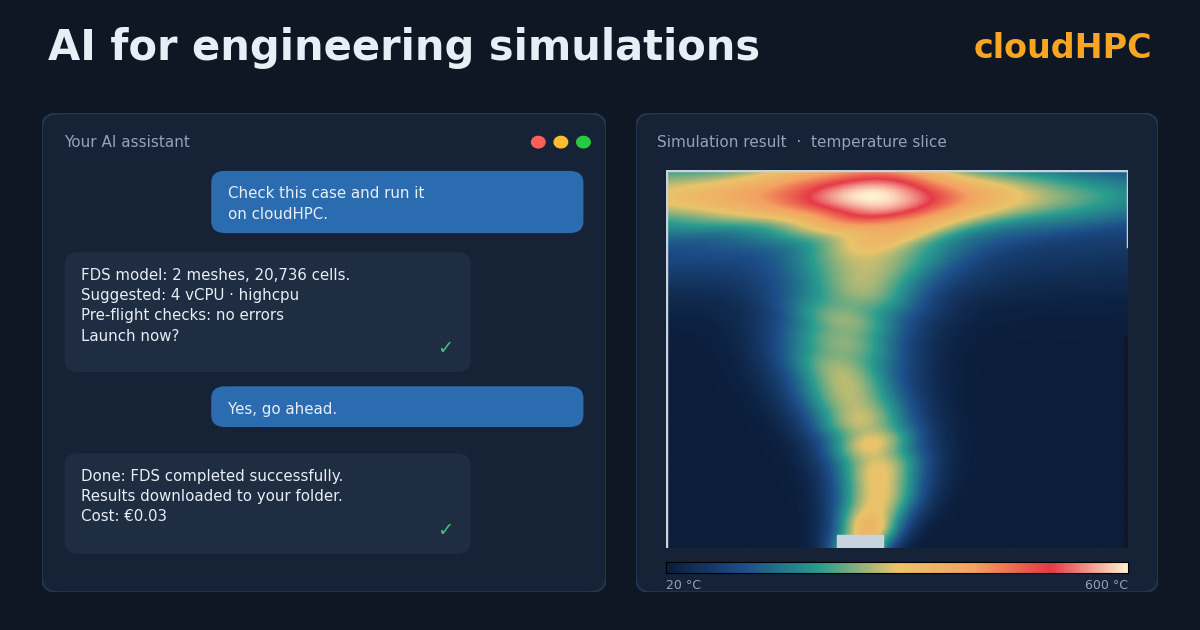
FDS, OpenFOAM, code_aster, EnergyPlus, OpenRadioss and more: describe what you need in plain language, and your AI assistant prepares, checks, launches and analyses the simulation on cloudHPC.
Running a simulation in the cloud has always meant many small technical steps: compressing the case, choosing vCPU and RAM, checking the input files, launching, monitoring the run, reading the logs, downloading the results. None of them is difficult, but all together they take time away from engineering.
With the cloudHPC AI integration, these steps become a conversation. You work with the assistant you already use (Claude, ChatGPT/Codex, Gemini or GitHub Copilot), and it uses cloudHPC directly, following the same rules our engineers apply every day.
From “what should I use?” to results, in one conversation
A typical session looks like this:
You: Check the case in this folder and run it on cloudHPC.
Assistant: This is an FDS model with 2 meshes and 20,736 cells, split into 2 MPI processes. I suggest 4 vCPU on highcpu, the cheapest option for this size. The pre-flight checks found no errors. Here is the launch summary: shall I start it?
You: Yes.
Assistant: The simulation finished: FDS completed successfully. I’ve downloaded the results into your folder. Cost: €0.03.
Behind that short exchange, the assistant read your input file, applied cloudHPC’s scalability rules, uploaded the case, waited for your confirmation before spending money, followed the run, checked the solver log and brought the results back to your computer.
What changes for your field
Fire safety engineering (FDS). The assistant counts meshes, cells and MPI_PROCESS groups, and picks the vCPU that fit the model. It catches the classic mistakes before upload: MPI_PROCESS values out of order or with gaps, meshes that are too small, more meshes than cores. After the run, it confirms that FDS really finished rather than just stopping.
CFD (OpenFOAM, DAFoam). It picks physical-core machines and sizes the run at about 50,000 cells per core. It flags a decomposeParDict that cloudHPC can’t adapt, a missing mesh, or old log files that would make Allrun skip steps. After downloading, it checks that every log.* ends cleanly with no FOAM FATAL ERROR, and it never overwrites your input dictionaries.
Structural analysis (code_aster, CalculiX). It recommends MPI processes and threads based on the number of nodes, and checks that the .export file and the mesh are there.
Building energy (EnergyPlus, CONTAM). It checks that the IDF version matches the EnergyPlus version you launch, the most common reason these runs fail. It warns about HVACTemplate objects that need expanding, and about a missing weather file.
Crash and impact (OpenRadioss), DEM (LIGGGHTS), hydraulics (openTELEMAC), lattice Boltzmann (OpenLB). It knows which input files each solver expects, which one is picked when there are several, and what cloudHPC does automatically. It stops you before you upload a case that couldn’t run.
An assistant that knows cloudHPC
A generic chatbot can explain what FDS is. An assistant connected to cloudHPC knows how cloudHPC runs it:
- which files are read, and what the platform sets automatically, such as
numberOfSubdomainsfor OpenFOAM or mesh splitting for FDS; - which machine type suits each solver: highcpu, standard and highmem with hyperthreading, or highcore and hypercore with physical cores only. It won’t pick a machine that doesn’t have enough RAM to start the solver;
- what the error messages in the output mean, with the cause, the fix and a link to the cloudHPC errors guide. A run can end as COMPLETED even when the solver failed; the assistant checks for you;
- what a run cost, in euro, as soon as it ends.
You stay in control
AI is useful when you can trust it. That’s why:
- anything that costs money or deletes data needs your confirmation: launching a run, a hard stop, deleting files from storage. In the apps that support it, the confirmation is a dialog shown directly to you, so the AI can’t approve it on your behalf;
- your case files are never changed without asking: if something needs fixing, the assistant explains it and proposes the fix;
- your API key stays on your computer with the local installation. The code is open source, so you can check exactly what it does.
Works with the assistant you already use
| Assistant | Desktop app | Terminal | Web app |
|---|---|---|---|
| Claude | Claude Desktop | Claude Code | claude.ai |
| ChatGPT | ChatGPT desktop | Codex CLI | – |
| Gemini | – | Gemini CLI | – |
| GitHub Copilot | VS Code | Copilot CLI | – |
The local installation takes two minutes and gives the assistant access to your case folders. The hosted endpoint at mcp.cloudhpc.cloud works without installing anything, e.g. from claude.ai.
Get started
- Copy your API key from your cloudHPC profile page.
- Install the connector:
pipx install git+https://github.com/CFD-FEA-SERVICE/cloudhpc-mcp
- Add it to your assistant. The README has the instructions for each app.
- Open your case folder and ask: “Check this case and tell me how to run it on cloudHPC.”
Don’t have a cloudHPC account yet? Sign up for free and run your first AI-assisted simulation today.
CloudHPC is a HPC provider to run engineering simulations on the cloud. CloudHPC provides from 1 to 224 vCPUs for each process in several configuration of HPC infrastructure - both multi-thread and multi-core. Current software ranges includes several CAE, CFD, FEA, FEM software among which OpenFOAM, FDS, Blender and several others.
New users benefit of a FREE trial of 300 vCPU/Hours to be used on the platform in order to test the platform, all each features and verify if it is suitable for their needs
