Fluid-Structure Interaction (FSI) and Multiphysics Simulation on cloudHPC

Fluid–structure interaction in the cloud with preCICE, ElmerFEM and solids4foam
Three ways to solve fluid–structure interaction, all pre-installed: preCICE to couple OpenFOAM® with CalculiX or code_aster, ElmerFEM for multiphysics in a single finite element model, and solids4foam for fluid and solid inside OpenFOAM. Pick the one that fits your problem and the machine that fits your model. You pay only while the machine runs.
Three tools, three ways to couple fluid and structure
A flexible flap in a channel, a heated plate or a vibrating tube can be solved in different ways. On cloudHPC you can use the one that fits, or run the same case with more than one and compare.
| Tool | How it couples | Best for |
|---|---|---|
| preCICE | Partitioned: separate fluid and solid solvers exchange data every coupling window | Using the best solver for each physics, CHT between CFD and FEM, advanced non-linear structures |
| ElmerFEM | All physics in one finite element model | Multiphysics with flow, heat, structures and electromagnetics, set up in one GUI |
| solids4foam | Fluid and solid solved with finite volumes inside OpenFOAM | OpenFOAM users who want FSI without a second code |
Everything installed, ready to run
preCICE
- The open-source library for partitioned multiphysics, with its adapters pre-installed
- Couples OpenFOAM with CalculiX or code_aster, for FSI and conjugate heat transfer
- Upload
precice-config.xmland one folder per participant, as in the preCICE tutorials - All solvers start together and stop together, with the cores split between them automatically
- The fluid mesh is generated, decomposed and reconstructed for you
ElmerFEM
- Open-source multiphysics finite element suite developed by CSC in Finland
- Fluid flow, heat transfer, structural mechanics, electromagnetics and acoustics, coupled inside the same model
- Model, mesh and solver parameters set up with ElmerGUI on the remote desktop
- ElmerSolver run in parallel on the machine you choose
solids4foam
- OpenFOAM toolbox for solid mechanics and fluid–solid interaction
- Fluid and solid both solved with the finite volume method, inside OpenFOAM
- Large deformations, non-linear materials and contact on the solid side
- Same case structure and post-processing as your OpenFOAM runs
The fluid and structural solvers used with preCICE are described on the OpenFOAM and FEM pages.
A preCICE adapter for code_aster
There was no adapter for current code_aster and preCICE versions, so we wrote one. It couples code_aster with OpenFOAM or CalculiX for both fluid–structure interaction and conjugate heat transfer, and we released it to the community under the GPL v3 licence. It is pre-installed on cloudHPC.
Tested on the classic cases
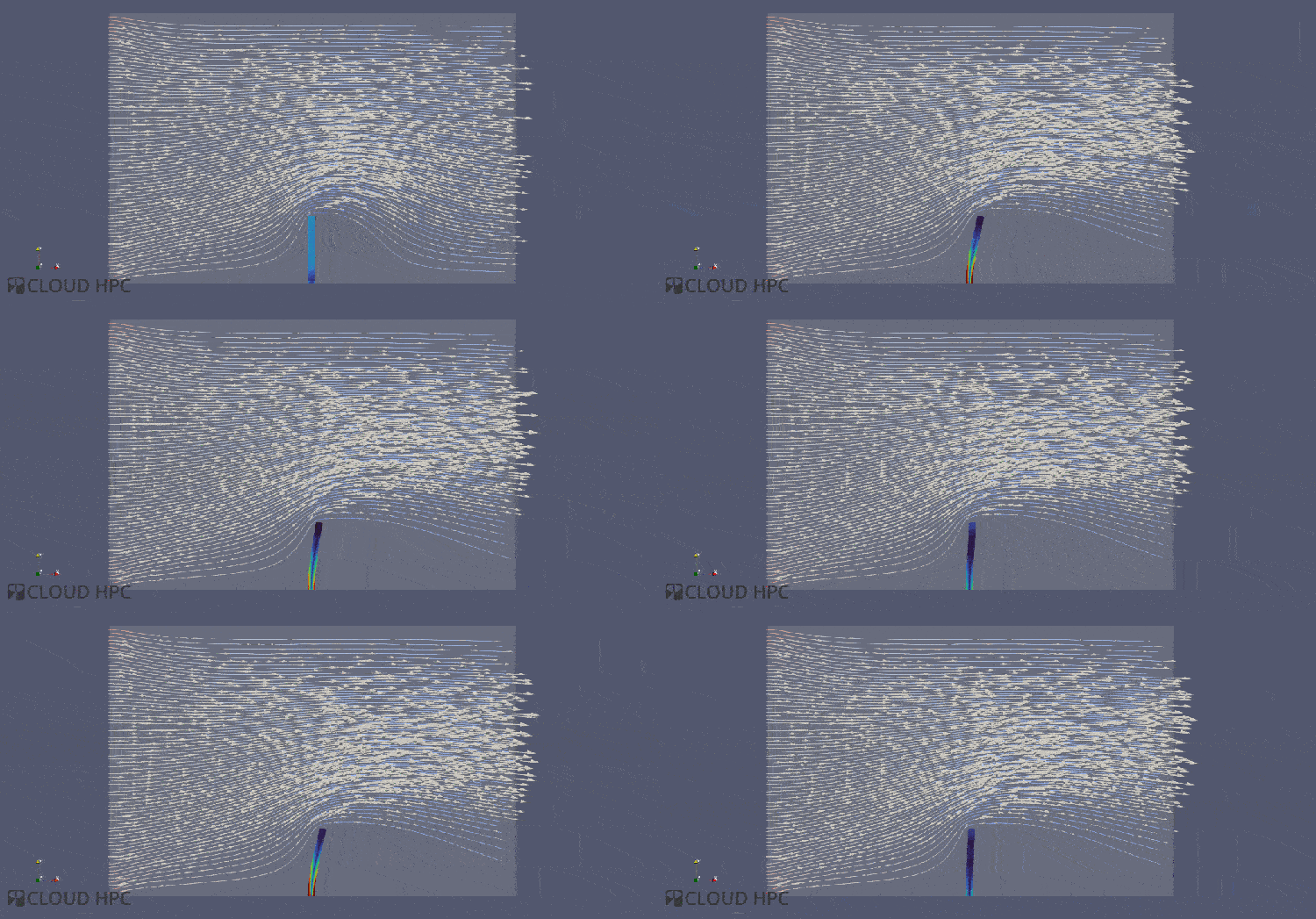
- Perpendicular flap – code_aster, CalculiX and solids4foam compared on the same FSI case
- Elastic tube 3D – OpenFOAM coupled with code_aster and with CalculiX
- Heated plate – code_aster + OpenFOAM CHT compared with an OpenFOAM-only solution
From set-up to results, all in the cloud
- Set up the model on a remote desktop, with ElmerGUI, Salome-Meca, PrePoMax or your OpenFOAM tools.
- Mesh the fluid and solid domains, with snappyHexMesh, cfMesh, Salome or the GUI of your solver.
- Configure the coupling: the preCICE configuration, the Elmer model or the solids4foam dictionaries.
- Launch on the vCPU and RAM the model needs, and follow the logs from the browser.
- Run variants at the same time, each on its own machine, for parametric studies and design checks.
- Post-process fluid and solid results together in ParaView on a remote desktop.
What changes compared with running it yourself
| Step | On your own machine | On cloudHPC |
|---|---|---|
| Installation | Build each solver, the coupling libraries and matching versions | preCICE with its adapters, ElmerFEM and solids4foam pre-installed and tested together |
| Hardware | Coupled cases tie up your workstation for days | Up to 224 vCPU and high-memory machines, only while the run lasts |
| Comparing methods | One tool installed, one approach tried | Run the same case with different tools and compare |
| Parametric studies | One configuration at a time | Each configuration on its own machine, at the same time |
| Post-processing | Download large fluid and solid results | ParaView on a remote desktop, on the same storage |
How many cores does an FSI case need?
preCICE and solids4foam
- Both run on physical cores: use highcore or hypercore
- The preCICE tutorials run fine on 4–8 vCPU
- For larger cases, size on the fluid mesh: 50,000–100,000 cells per core, plus up to 8 cores per solid solver
Good to know
- ElmerFEM: start on highcpu and move to more RAM only after a memory error
- preCICE writes no checkpoints: a stopped coupled run starts again from the beginning
- Test the set-up on a short end time before the full run; our team can help you size it
FSI specialists behind the platform
Expert support
Our engineers work on FSI and CHT projects and develop coupling tools themselves. Chat with us for help on model set-up, coupling configuration and results.
Pay per use
No subscription and no licences: you pay per vCPU hour, only while the machines run. Check the cost with the price calculator.
Automate with the API
Launch and monitor batches of coupled runs from your own scripts with the cloudHPC API. The platform is ISO 27001 certified.
Run your next FSI case in the cloud
Create your account and get 300 free vCPU hours, or chat with us to choose the right tool for your problem.